Full Freshservice ticket replication and knowledge base sync, GitHub repos as a knowledge source, business schedules for SLAs, and personalized shared views.

New integration: Freshservice
Full bidirectional ticket replication is now available for Freshservice. Tickets, comments, custom fields, and status changes sync automatically between Ravenna and Freshservice in real time via webhooks. Author attribution preserves who said what, workspace scoping routes tickets to the right channel, and private comments stay private across both systems.
Freshservice Solutions articles can also be synced as a knowledge source, giving your AI agent direct access to your internal support documentation.
New integration: Github
Connect your GitHub repositories as a knowledge source so your agent can answer questions using your existing documentation. Pick which repos to sync and Ravenna pulls in Markdown, text, and documentation files, keeps your folder structure intact, and stays up to date automatically as you push changes.
Business schedules
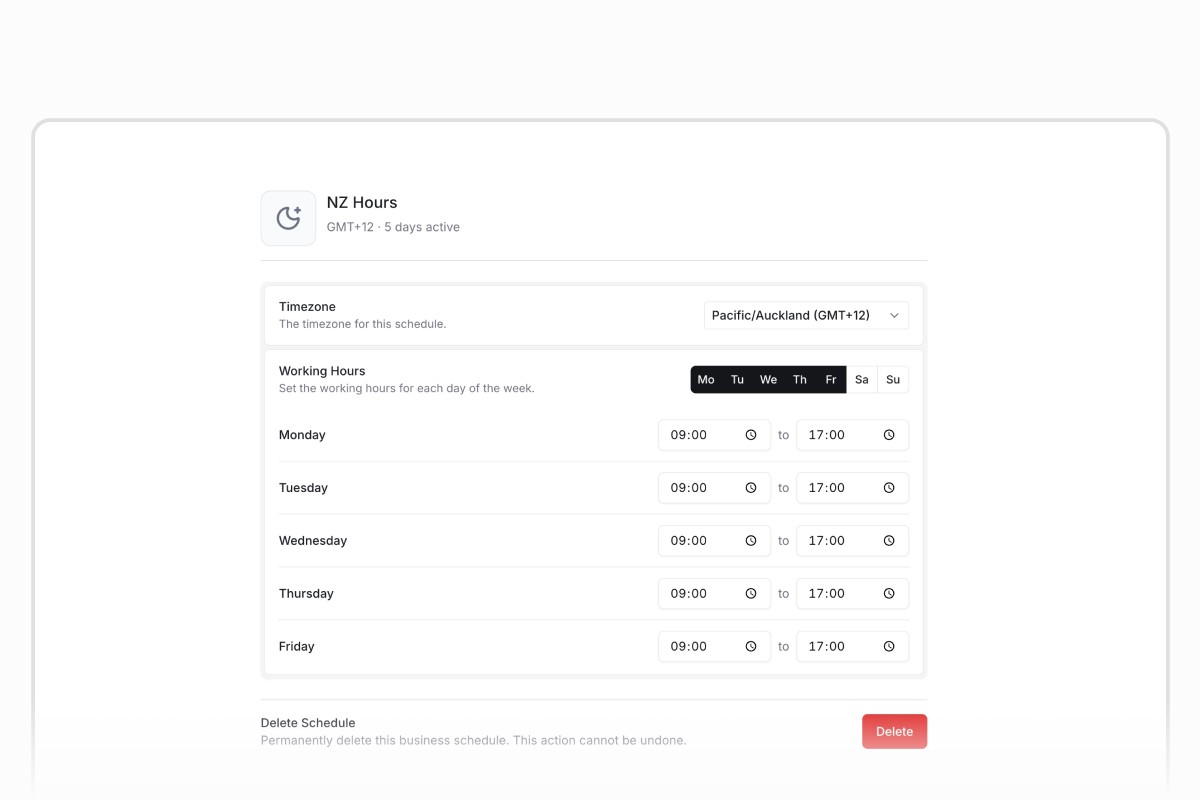
SLA targets can now follow your team's actual working hours. Define a business schedule with timezone, weekly hours, and holidays, then attach it to any SLA policy. Targets pause outside business hours and resume when your team is back online.
New cron trigger
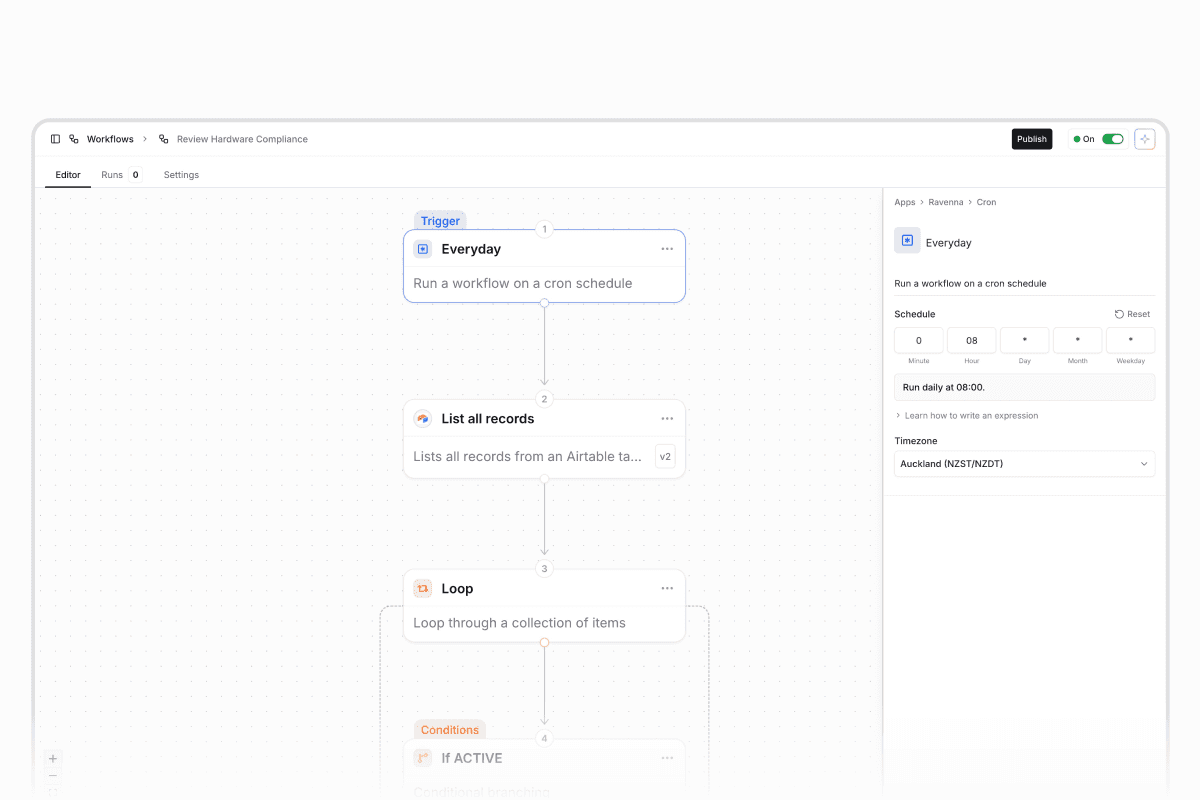
The scheduled workflow trigger has been completely redesigned. Set up recurring workflows with standard cron expressions and pick from any timezone. No more guessing with UTC offsets or rigid dropdowns. Existing schedules migrate automatically.
MCP OAuth sign-in
Ravenna's MCP server now supports OAuth sign-in. Log in once and get access to all your workspaces and resources from a single session. No more managing API keys per workspace. Works with all popular MCP clients including Claude, ChatGPT, Cursor, and more.
Settings home
A new searchable landing page for settings. Browse all organization, workspace, and personal settings as visual cards, or search to jump straight to what you need. Especially helpful for new users or large teams with many configuration options.
Other updates
Sort tickets by custom fields lets you sort your ticket table by dates, numbers, text, or dropdowns. Perfect for managing onboarding timelines or tracking deadlines.
Personal view overrides let you customize filters and display options on shared views without affecting your teammates.
User groups for app owners and approvers lets you assign a team instead of a single person, so coverage continues when individuals are out.
Copilot conditional fields and form deletion lets you ask Copilot to create show/hide dependencies between fields, restrict picker options, or delete forms, all in natural language.
Agent form-link emails send the requester a direct link to a prefilled form in your portal when your agent needs a form filled during an email conversation.
Google Workspace domain override lets you provision new users on a secondary domain without changing your primary connection.
Slack bot channels in workflows means any channel where Ravenna is invited now appears in workflow action dropdowns, not just your designated request channels.
Search Users action lets you look up users by criteria and feed results into downstream steps like assigning tickets or sending emails.
Message Sent visibility filter lets you trigger workflows only on public replies or only on private notes.
JumpCloud Update Group lets you rename groups, update descriptions, or manage exemptions directly from workflows.
Application filters in workflows let you narrow application lookups by source, provisioning method, owner, or approver.
MCP permissions and workspace targeting ensures MCP access respects your workspace and org roles.
Arrow key ticket navigation lets you press ← / → to move between tickets without going back to the list.
Quality of life updates
Approval descriptions appear inline so you can review and act without opening a separate view.
Guest user navigation hides Command K and search for external guests.
Clearer tool policy labels in agent settings use full-contrast text for better readability.
Bug fixes
Forwarded emails now correctly identify the original sender instead of showing the forwarding service.
Column visibility and reorder changes on custom views now save and reset reliably.
SLA timeline events always show Ravenna branding regardless of custom agent names.
Slack form modals no longer fail when the agent prefills a multi-select field.
Application icons prefer high-quality domain logos over generic identity provider icons.
Retry failed runs from any step, gate agent tools with approvals, and configure per-tool execution policies with batched approval rounds.
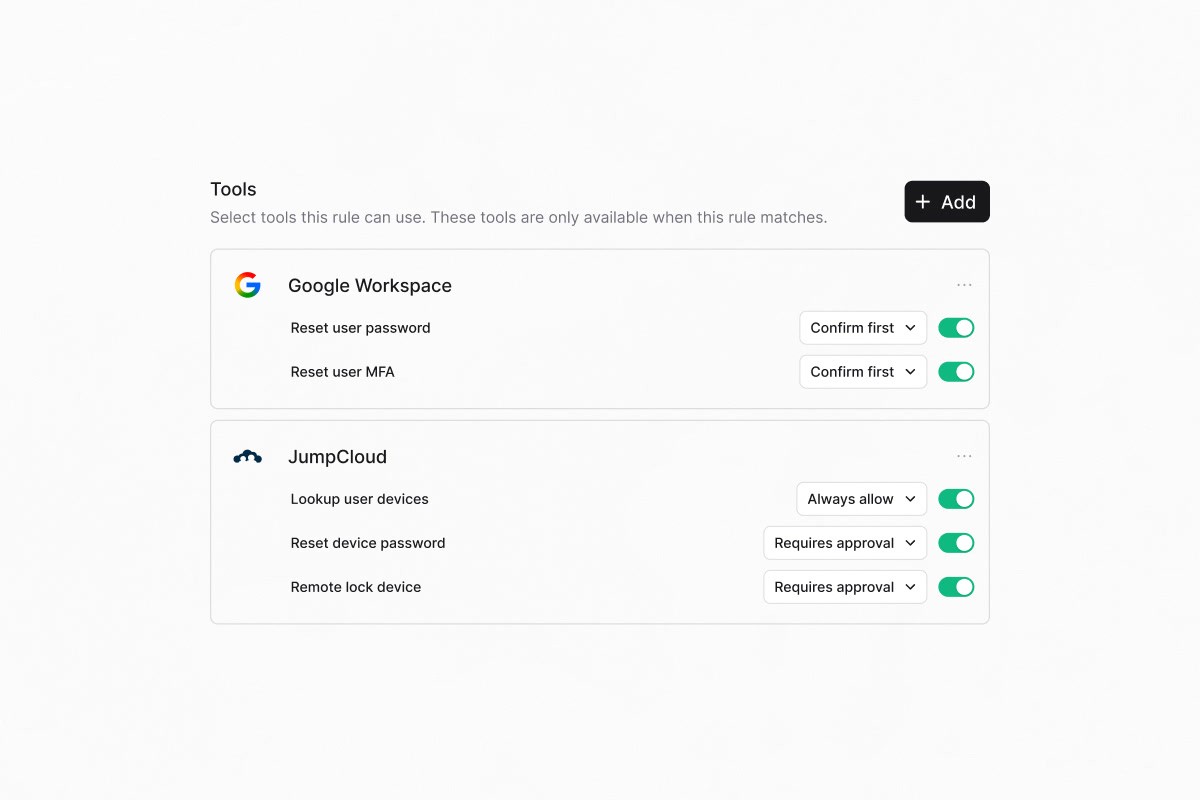
Agent tool approval gates
Agent rules now support per-tool execution policies. Configure each tool to auto-execute, require user confirmation, or require approval from a designated approver before running. Approval-gated tools are batched into a single approval round per agent plan, so approvers review one consolidated request instead of many.
Retry failed workflow runs
You can now retry workflow runs directly from the run history table. Choose to rerun from the beginning, retry against the latest published workflow version, or resume from the failed step while reusing successful upstream outputs. The new run links back to the original for full traceability.
Other updates
Agent ticket ownership separates AI agent work from human assignees so internal routing does not trigger notifications, CSAT, or OOO delegation
Named-assignee escalation lets agent rules specify which user gets assigned when a ticket escalates to a human
Wait for Approval timeout branch adds an On Timeout path when approvals expire, so stalled requests can be escalated or auto-closed
Application Approver field designates a dedicated user to approve access requests, separate from the application owner
Post-provisioning message lets you attach app-specific setup guidance that surfaces to requesters after access is granted
HiBob Get OOO Users workflow action lists who is on vacation for a date range
Compare previous period toggle overlays the preceding time period on trend cards for easy before/after comparison
Is member of / is not member of filters scope views and SLA policies to tickets where the assignee, requester, or author belongs to a specific user group
Shortcut public acknowledgement lets you configure per-form whether Slack message shortcuts publicly confirm ticket creation
Per-form field label overrides let you customize a shared custom field's label and description on a single form without affecting others
/help Slack command adds a discoverable alias for /rav so users can create tickets without remembering the prefix
Send Email adds recipients as followers so email recipients stay looped in on future agent replies
Custom field columns in CSV exports include visible custom fields with human-readable option labels
Quality of life updates
Forms now default to Draft on creation so you can configure before publishing
Impacted forms preview appears when editing or deleting shared custom fields
Task templates use inline editing instead of separate tabs
Externally-synced KB documents hide the Edit button with clear guidance to edit at the source
Bug fixes
Email rendering no longer freezes on large threads
Email reply threading fixed for forwarded chains
Form fields render correctly for non-workspace members
Multi-turn conversational form filling completes properly
Workspace switcher no longer scrolls horizontally
Slack admin escalation works correctly for channel create and archive actions
Workflow filters and async config handle edge cases properly
Ticket title auto-generates before publication
Webhook workflows, conditional approvals, smarter agents, and HiBob time-off management.
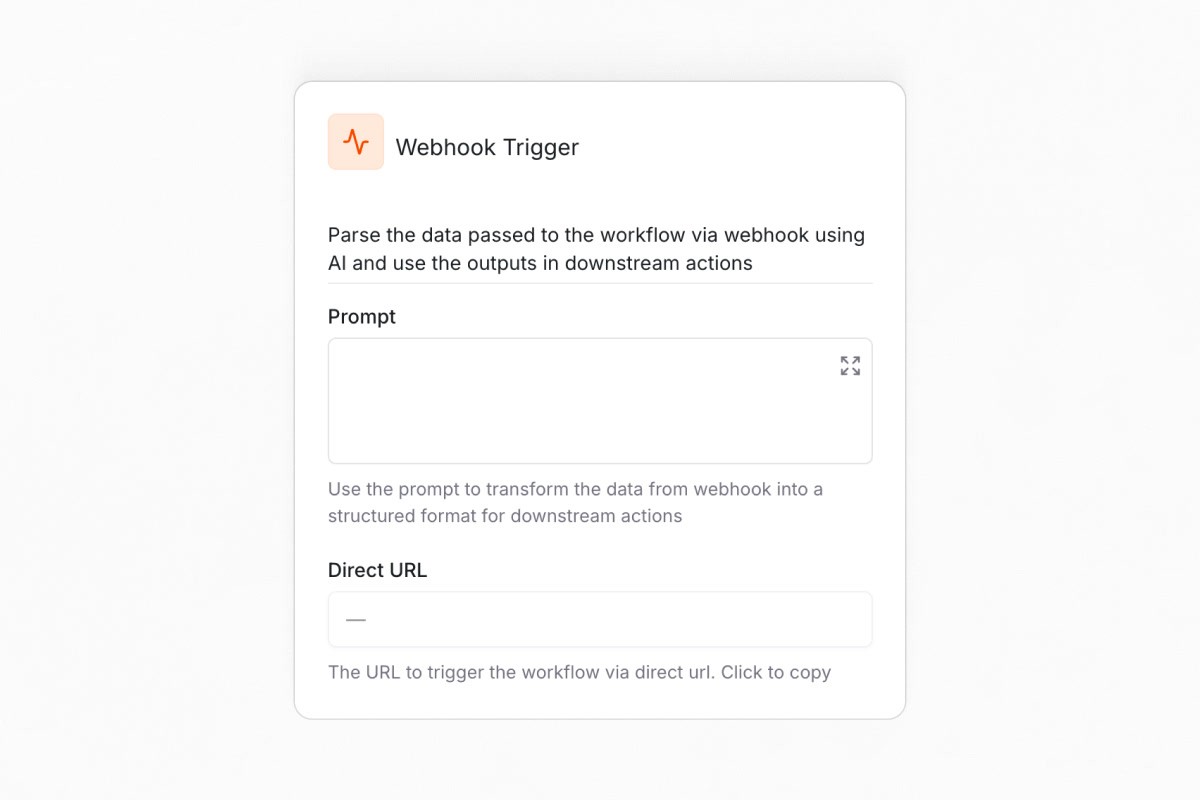
Trigger workflows from external systems
You can now trigger workflows from any external system using a secure webhook URL. Each workflow gets a unique URL that third-party tools, automation platforms, or custom integrations can POST to. The payload becomes available as workflow context. No API keys needed.
Smart approval routing
Approval rounds now support skip conditions. You can configure rules per round based on requester attributes, ticket properties, or integration data. For example, skip "Manager approval" when no manager is set. If every round is skipped, the ticket auto-approves with no manual intervention.
Smarter agents
Your agent can now read files shared in Slack. PDFs, images, and documents are automatically processed and used to answer questions, prefill form fields, and route tickets. The agent also knows the context of where a user is writing from, so it won't tell someone to "go post in #it-help" when they're already there.
Automate time-off with HiBob
The new HiBob integration adds two workflow actions: Get Time-off Balance retrieves an employee's remaining PTO across all policy types, and Request Time Off submits requests on their behalf with an optional approver and description.
Other updates
Assignee Group filter for SLAs and views lets you target SLA policies and ticket views to tickets where the assignee belongs to a specific user group
Google Workspace security group creation adds label support to the Create Group action, so you can create security groups directly
Auto-populate ticket defaults from view filters pre-fills ticket fields like assignee, status, priority, and tags based on your active view filters
Dynamic Wait Until dates lets the Wait Until action accept dynamic values from triggers or upstream steps
Email delivery status badges show whether outbound emails were delivered, right in the ticket timeline
CSV exports respect column visibility so hidden columns stay out of your exports
Workflow failure notifications for completed-with-errors fires failure notifications for workflows that finish with partial errors, not just fully failed runs
Quality of life updates
Redesigned badges and chips with consistent sizing, cleaner dark mode colors, and tighter date rendering
Breadcrumb truncation so long page names truncate with ellipsis instead of wrapping
Stacked dialog overlays only show a single dark overlay instead of compounding darkness
Custom field column ordering places custom fields before the actions column in ticket tables
Workflow runs pagination is now visible without scrolling
Application images in entitlement events show proper application logos on access events
Improved permission denial messages so agents clearly explain why an action was blocked
Integration connection status badges include a "Not Tested" state for integrations that haven't been health-checked
Bug fixes
Slack agent tools now resolve channels and users correctly on Enterprise Grid
Slack DM threads are no longer ignored by the message classifier
Approval wait triggers resolve correctly after a ticket moves between queues
Credential updates in Foundry no longer fail on duplicate names
Foundry actions with stored credentials now execute correctly inside workflows
Pasted markdown headings render at normal size
No more raw mailto: prefixes in Slack agent responses
Message deletion works even when attachments are in an unexpected state
Ticket creation modal no longer flashes empty fields while closing
Workflow step input drilldowns no longer show duplicate suggestions
Custom SELECT fields render as proper dropdowns in workflow conditions
Track every admin change, enforce multi-stage approvals, and automate endpoint management with new Intune actions.
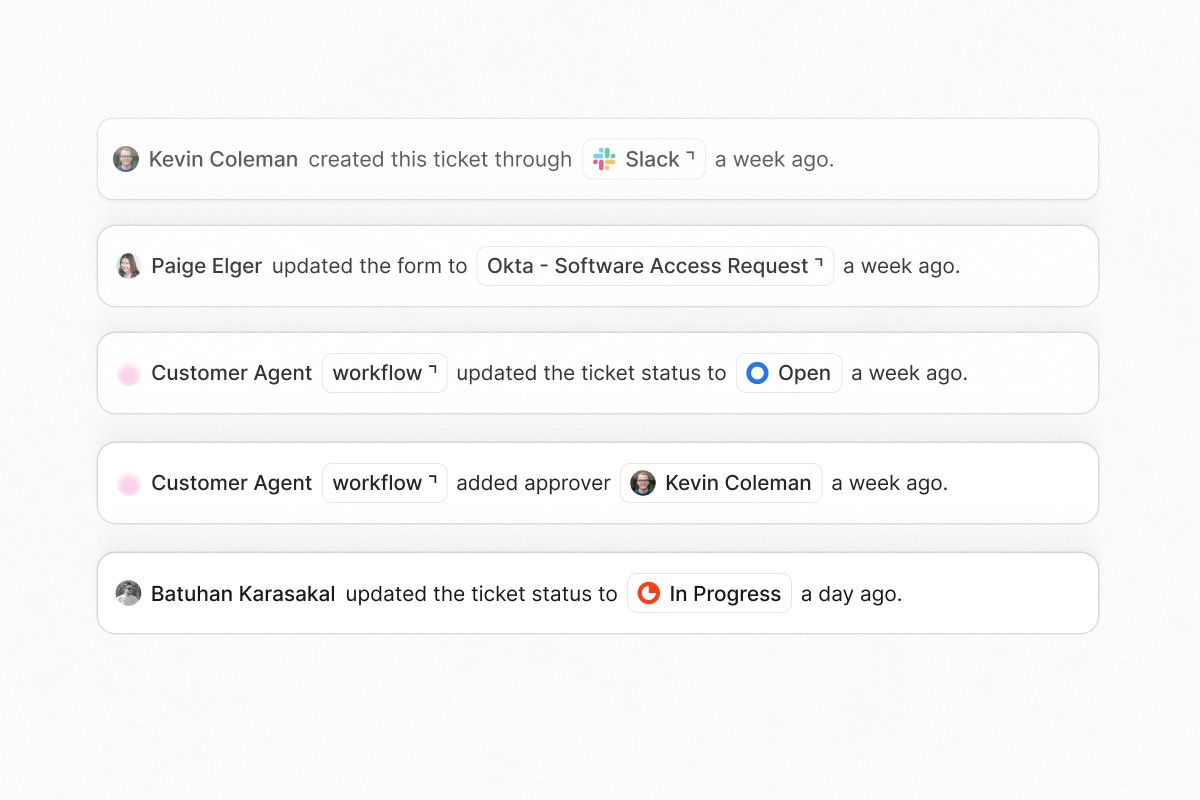
Admin audit log
Track every administrative change across your organization with a searchable audit log. The new Admin Audit Log in organization settings records actions on agents, integrations, knowledge bases, and forms with full before/after context. Filter by event type, actor, resource, or date range, group events for pattern analysis, and export to CSV for compliance reporting.
Approval rounds
Build multi-stage approval workflows with configurable policies per round. Each round can require approval from any one approver, all approvers, or a custom threshold before advancing to the next stage. Sequential round execution ensures structured, auditable review processes for access requests and sensitive operations.
Intune device management actions
Six new workflow actions and agent tools for Microsoft Intune: Autopilot Reset, Retire Device, Sync Device, Rotate BitLocker Key, Wipe Device, and Assign Script. Automate endpoint lifecycle management directly from workflows and agent conversations without leaving Ravenna.
Other updates
Conditional KB routing in agent rules lets you write natural language conditions in agent rules to direct knowledge lookups to specific folders based on the topic of the conversation, so agents search only the relevant sources per branch
Task template folders let you group task templates by department, workflow type, or any organizational structure
Google Workspace temporary password generation adds a temporary password option to the Reset MFA/Password workflow action
JumpCloud workflow actions add user lifecycle management and group operations, reaching parity with Okta integration capabilities
Slack DM deep link in private form notices adds a direct message link for requesters when a form submission creates a private thread
Publish/unpublish confirmation for forms prevents accidental state changes with a confirmation dialog
Allowlist cap removed for Slack dropdowns supports more than 100 options using searchable external selects
Draft/Archived form gating for AI agents ensures agents no longer present draft or archived forms to users
Quality of life updates
Icons on form tabs and ticket types adds visual indicators to form navigation and ticket type selectors
Full Lucide Icon library set now available within the platform
Form tab persistence remembers your last selected tab across sessions
Agent table layout fixes alignment and spacing issues
Image cropper buttons improves button sizing for better usability
Processing status labels improves display of processing status indicators
Bug fixes
Fixed form submission errors in Slack
Fixed conditional form fields clearing descendant values when parent changes
Fixed KB document deletion silently failing
Fixed title template generation issues
Fixed knowledge base link handling
Fixed rule update issues
Fixed approval action handling
Fixed email alias sender name
Fixed icon picker dark mode gradient and broken icon names
Fixed rich text editor color in dark mode
Fixed org home width, avatar, and form reorder issues


